
← All word lists 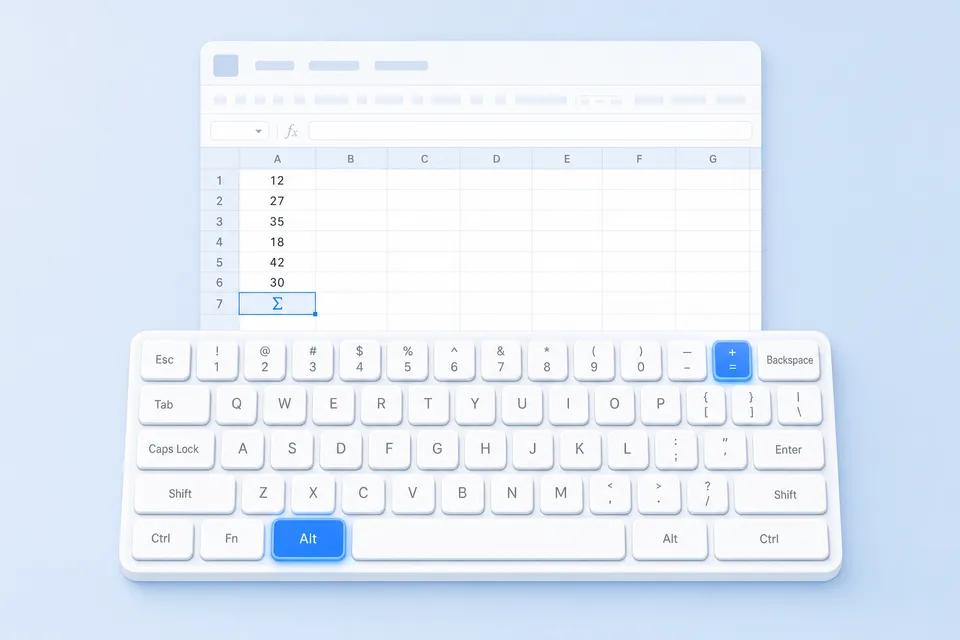
Excel keyboard shortcuts for Windows
The keys that save a trip to the mouse, as Excel sets them on Windows: Ctrl+; for today's date, Alt+= for AutoSum, Ctrl+Shift+L for filters.
| Action | Shortcut |
|---|---|
| New workbook | Ctrl+N |
| Open a workbook | Ctrl+O |
| Save As | F12 |
| Ctrl+P | |
| Close the workbook | Ctrl+W |
| Redo / repeat last action | Ctrl+Y |
| Find and replace | Ctrl+H |
| Go To a cell or range | Ctrl+G / F5 |
| Show / hide the ribbon | Ctrl+F1 |
| Check spelling | F7 |
| Go to cell A1 | Ctrl+Home |
| Go to the last used cell | Ctrl+End |
| Jump to the edge of the data | Ctrl+Arrow key |
| Next worksheet | Ctrl+PgDn |
| Previous worksheet | Ctrl+PgUp |
| Insert a new worksheet | Shift+F11 |
| Select the entire column | Ctrl+Space |
| Select the entire row | Shift+Space |
| Select the region / all | Ctrl+A |
| Extend selection to data edge | Ctrl+Shift+Arrow key |
| Select visible cells only | Alt+; |
| Edit the active cell | F2 |
| New line inside a cell | Alt+Enter |
| Enter into all selected cells | Ctrl+Enter |
| Fill down | Ctrl+D |
| Fill right | Ctrl+R |
| Paste Special | Ctrl+Alt+V |
| Paste values (Microsoft 365) | Ctrl+Shift+V |
| Copy formula from cell above | Ctrl+' |
| Insert today's date | Ctrl+; |
| Insert the current time | Ctrl+Shift+: |
| Insert cells / rows / columns | Ctrl+Shift+Plus |
| Delete cells / rows / columns | Ctrl+Minus |
| Flash Fill | Ctrl+E |
| Add or edit a note | Shift+F2 |
| Insert a hyperlink | Ctrl+K |
| Format Cells dialog | Ctrl+1 |
| Strikethrough | Ctrl+5 |
| Currency format | Ctrl+Shift+$ |
| Percentage format | Ctrl+Shift+% |
| Number format (2 decimals) | Ctrl+Shift+! |
| Date format | Ctrl+Shift+# |
| General format | Ctrl+Shift+~ |
| Add an outline border | Ctrl+Shift+& |
| Remove borders | Ctrl+Shift+_ |
| AutoFit column width | Alt+H, O, I |
| Hide selected rows | Ctrl+9 |
| Hide selected columns | Ctrl+0 |
| Unhide rows | Ctrl+Shift+9 |
| Group rows or columns | Alt+Shift+Right |
| Ungroup rows or columns | Alt+Shift+Left |
| AutoSum | Alt+= |
| Insert Function dialog | Shift+F3 |
| Cycle absolute / relative refs | F4 (while editing) |
| Show formulas | Ctrl+` |
| Recalculate all workbooks | F9 |
| Name Manager | Ctrl+F3 |
| Expand the formula bar | Ctrl+Shift+U |
| Turn filters on / off | Ctrl+Shift+L |
| Open a filter drop-down | Alt+Down |
| Create a table | Ctrl+T |
| Insert a chart on this sheet | Alt+F1 |
| Insert a chart on a new sheet | F11 |
| Run or view macros | Alt+F8 |
| Open the VBA editor | Alt+F11 |
Keep this list on your screen.
StickyWords shows it one pair at a time in the corner of your screen while you work. The CSV opens in any spreadsheet if you would rather edit it first.